
What Does GPS Mean on Apple Watch? A Complete Guide
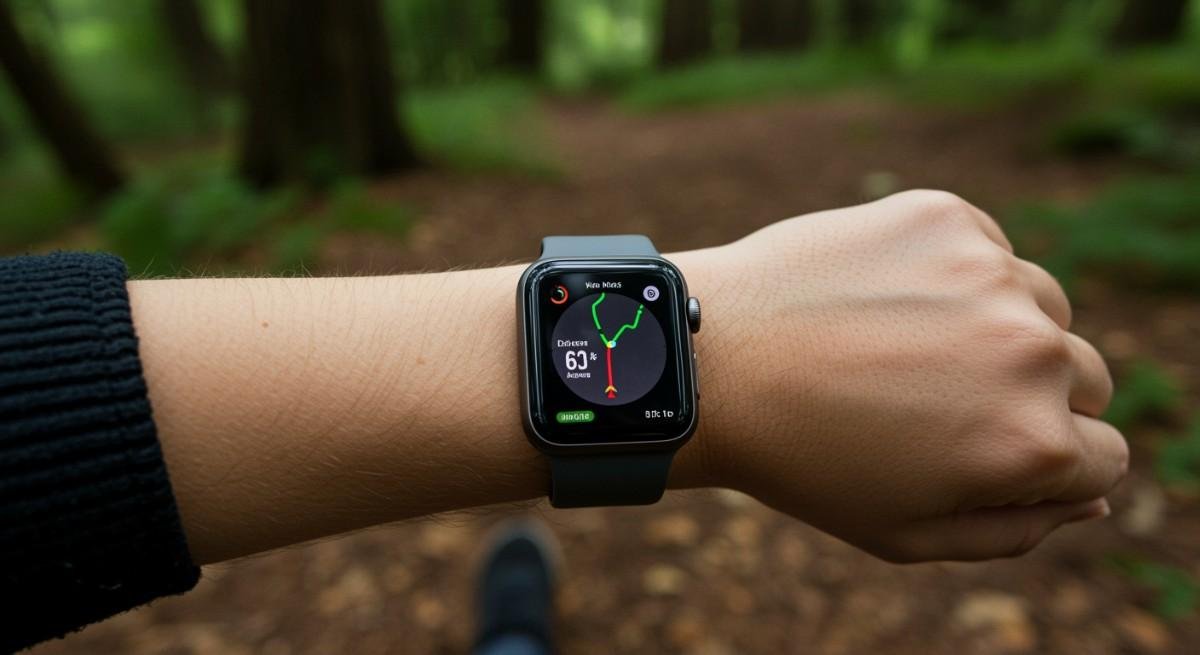
Ever find yourself on a run or walk, without your phone, and yet your Apple Watch magically tracks your route, pace, and distance? It’s a little tech miracle, isn’t it? What does GPS mean on Apple Watch? I remember the first time I went for a jog without my phone, relying solely on my Apple Watch’s GPS. It felt freeing, almost as though I had just unlocked a whole new level of independence.
I’ll break down what GPS really means on your Apple Watch, the differences between GPS and GPS + Cellular models, and how you can use these features to make the most of your workouts and daily adventures.
Key Meaning & Functions of GPS on Apple Watch
So, what does GPS mean on Apple Watch? At its core, GPS (Global Positioning System) is the technology that allows your Apple Watch to track your exact location using satellite signals. This system works seamlessly to provide precise location data such as your latitude, longitude, and altitude.
This satellite-powered system is especially useful for outdoor activities like running, cycling, and hiking. With GPS on Apple Watch, you can track your distance, pace, and route, even when you don’t have your iPhone with you. The watch uses GPS signals to record your movements without relying on your phone’s cellular data.
One of the best parts? If you’re using the GPS-only model, you still get all the features like distance tracking and route mapping without needing an iPhone. This makes your Apple Watch a standalone fitness tracker that’s always with you.
GPS vs. GPS + Cellular Models: What’s the Difference?
When it comes to Apple Watch models, there are two main types: GPS-only and GPS + Cellular. The primary difference between them is whether the watch has its own cellular connectivity or not.
If you’re wondering whether you need the GPS + Cellular model or if the GPS-only model is enough, here’s a breakdown of what each offers:
| Feature | GPS Only Model | GPS + Cellular Model |
| Calls & Texts | Requires nearby iPhone or Wi-Fi | Independent; works anywhere with a signal |
| Emergency Services | Requires iPhone or Wi-Fi | Can call independently |
| Monthly Fees | None | Typically costs ~$10/month on your phone plan |
| Materials | Usually Aluminum only | Aluminum, Stainless Steel, or Titanium |
| Battery Life | Generally longer (no LTE drain) | Can drain faster when using cellular data |
GPS Only vs. GPS + Cellular: Which One Should You Choose?
The decision between GPS-only and GPS + Cellular models largely depends on how you use your Apple Watch. If you’re someone who enjoys the freedom to leave your phone at home while still staying connected, the GPS + Cellular model may be a better fit for you. Here’s why:
- GPS-only models are perfect for those who mostly keep their iPhone close by. These are ideal for people who use their watch primarily for fitness tracking and don’t mind needing an iPhone nearby to send messages, make calls, or use internet-based apps.
- GPS + Cellular models are better for users who want to use their Apple Watch as a standalone device. If you like the idea of leaving your phone behind while you work out, go for a swim, or run errands, this model gives you the freedom to stay connected without your iPhone.
If battery life is a concern, the GPS-only model offers longer usage as it doesn’t rely on cellular data, making it great for extended outdoor activities where you don’t have access to a charger.
How to Use GPS on Your Apple Watch for Fitness and Navigation
Using GPS on your Apple Watch is simple, and there are a few cool ways to take advantage of it for both fitness and navigation. Here’s how you can get started:
- Start an Outdoor Workout: Open the Workout app on your Apple Watch, select your activity (running, walking, cycling), and press start. The GPS will automatically begin tracking your location, distance, and pace. This is especially useful when you’re in unfamiliar areas, and you want to know your exact route.
- Track Your Route on Maps: Open the Maps app on your watch when you’re exploring a new area or navigating somewhere. Input your destination and get turn-by-turn directions. The GPS will guide you through your route, just like it would on your phone.
- Check Activity Data: After your workout or adventure, head to the Activity app to see a detailed breakdown of your exercise. The GPS will have recorded your route and distance, and you can check how far you’ve come and how fast you’ve been moving.
- Track Your Fitness Progress: If you’re aiming for specific fitness goals, GPS tracking makes it easier to track your improvement over time. Whether you’re aiming for a faster run or a longer bike ride, GPS helps you track your progress accurately.
Frequently Asked Questions
1. Can I use GPS on my Apple Watch without my iPhone?
Yes! With the GPS-only model, you can use your Apple Watch to track your location, distance, and route without needing your iPhone. The GPS technology is built right into the watch, so it works independently during outdoor activities like running or hiking.
2. How accurate is the GPS on Apple Watch?
The GPS on Apple Watch is pretty accurate, thanks to the advanced satellite technology it uses. While no GPS is perfect, you’ll find that the Apple Watch provides highly accurate data for your distance, pace, and route. It’s great for runners, cyclists, and anyone wanting to track their outdoor activities.
3. Does using GPS drain my Apple Watch battery?
Yes, using GPS does consume more battery, especially during long activities. If you’re planning a long workout or hike, make sure your watch is fully charged. However, the GPS-only model tends to last longer than the GPS + Cellular model, which drains more battery when using cellular data.
4. Can I use the GPS for navigation without cellular service?
If you have a GPS-only model, you can still use Maps for navigation, but it requires a Wi-Fi connection or the presence of your iPhone. The GPS + Cellular model allows full navigation capabilities, even when you’re not near Wi-Fi or your phone.
Unlocking the Power of GPS on Apple Watch
There you have it! GPS on your Apple Watch is not just a cool feature but a tool that makes staying active and navigating easier. Whether you’re hitting the pavement for a run, enjoying the benefits of hiking in the great outdoors, or just exploring a new part of town, GPS ensures that your Apple Watch keeps up with your adventures—no phone needed.
If you love the idea of leaving your phone behind but still want to stay connected, the GPS + Cellular model might just be your new best friend. But if you’re more of a workout enthusiast who doesn’t mind being tethered to your phone for calls and texts, the GPS-only model is a great option that will still give you all the tracking benefits without the extra cost.