
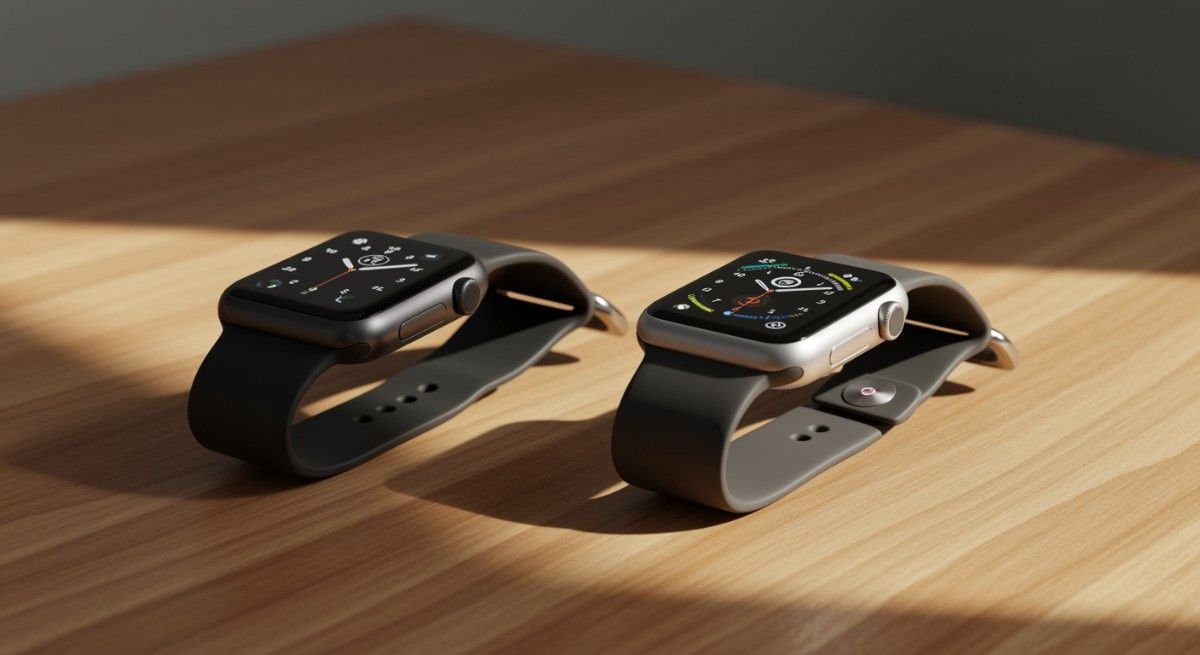
Apple Watch Cellular vs GPS: Which One Should You Choose?
When I first got my hands on the Apple Watch, I was completely hooked. But then, the moment of truth arrived—“Apple Watch Cellular vs GPS: which one do I actually need?” It wasn’t just about the price tag but about the experience. After some research (and a few moments of pure confusion), I learned that it’s not just about the watch but how it fits into your lifestyle.
If you’re torn between the Apple Watch Cellular vs GPS, you’re in the right place. Let’s break down the key differences, and by the end, you’ll know exactly which version is right for you!
Real Difference Between Apple Watch Cellular vs GPS?
Here’s where things get interesting: Both the Apple Watch GPS and Apple Watch Cellular look nearly identical. So, what’s the real difference? The GPS-only model uses your iPhone’s connection for everything that requires data, like calls and apps. In contrast, the Cellular model has its own built-in LTE, allowing you to stay connected without your phone.
The GPS-only model can handle fitness tracking, music (when downloaded), and payments via Apple Pay, but it requires your phone to be nearby or connected to Wi-Fi for anything that needs data. The GPS + Cellular model, however, allows you to make calls, send texts, stream music, and use data apps like Maps or Siri on the go—without needing to carry your iPhone.
Which One Is Better for Fitness?
When it comes to fitness, both the Apple Watch Cellular vs GPS models have your back. But depending on how you work out, one may be better suited for you.

Apple Watch GPS
The GPS model is a perfect choice for those who are fine with carrying their phone while working out. You’ll get the same fitness tracking features, heart rate monitoring, and calorie tracking as the Cellular model, but you’ll need to keep your phone close. The GPS-only model is cheaper and slightly more energy-efficient, which can be a bonus during long workouts.
Apple Watch Cellular
However, if you’re someone who loves going on solo runs, hikes, or swims without your phone, the Cellular model is the real winner. You can make calls, send texts, and even stream music directly from the watch using its built-in LTE, all without needing your phone on you. It’s ideal for people who want total independence during workout or outdoor activities.
Is It Worth the Extra Cost for Apple Watch Cellular?
Now, the real question—is the Apple Watch Cellular worth the price difference? The short answer: it depends on what you want out of the watch.

GPS-only Model
The GPS-only model is much cheaper upfront, typically saving you $50 to $100 compared to the Cellular model. Plus, you won’t have to deal with an ongoing monthly fee, making it a more budget-friendly option. If you don’t mind carrying your phone with you and you don’t need the extra features of Cellular, the GPS model might be all you need.
GPS + Cellular Model
The Cellular model, while more expensive, offers freedom and flexibility. If you want the option to leave your phone behind (whether it’s for fitness, convenience, or just to escape), the Cellular version gives you the ability to make calls, stream music, and use data apps on the go. But remember, there’s an ongoing monthly fee for the cellular connection, typically around $10 a month, which is something to consider if you’re on a budget.
How to Set Up Your Apple Watch
Setting up your Apple Watch is a breeze, whether you choose the GPS-only model or the Cellular model. Here’s a simple guide to get you started:

- Charge Your Watch: First things first, charge your Apple Watch to 100%. You don’t want it dying in the middle of setup.
- Pair with Your iPhone: Open the Apple Watch app on your iPhone, then follow the on-screen prompts to pair the watch with your phone. This process is straightforward, but it may take a minute or two.
- Activate Your Cellular Plan: If you’re setting up a Cellular model, you’ll be prompted to activate your cellular plan. Choose your carrier and plan (don’t worry, this is the part where you’ll see the additional $10/month fee for the LTE service).
- Customize Your Watch: From here, you can set up everything—watch faces, notifications, fitness goals, and apps. Personalize it to fit your liking!
- Start Using Your Watch: After setup, you’re good to go! You can now start using your watch for fitness tracking, making calls, sending texts, or enjoying music on the go. You’re officially part of the Apple Watch family!
Differentiation Table: Apple Watch Cellular vs GPS
| Feature | GPS-only Model | GPS + Cellular Model |
| Connectivity | Works only with iPhone or Wi-Fi connection | Works independently via LTE connection |
| Initial Cost | Cheaper (typically $50–$100 less) | More expensive ($50–$100 extra) |
| Ongoing Costs | No monthly fees | Requires a monthly carrier fee ($10/month) |
| Battery Life | Slightly longer battery life | Drains faster due to LTE usage |
| Fitness Tracking | Works fine for fitness tracking (phone required) | Works independently for fitness tracking |
| Family Setup | Not available | Available for setting up Apple Watch for kids |
| Material Options | Available only in aluminum | Available in aluminum, stainless steel, and titanium |
| Ideal for | Users who always have their iPhone nearby | Users who want independence from their iPhone |
Frequently Asked Questions
1. Do I need a cellular plan for the Apple Watch Cellular?
Yes, if you opt for the Apple Watch Cellular, you’ll need to activate a monthly cellular plan with your carrier, which typically costs around $10–$15 per month.
2. Can I use Apple Watch Cellular without an iPhone nearby?
Yes! The Cellular model allows you to make calls, send texts, stream music, and use apps on your watch without needing your iPhone nearby, as long as you’re connected to a cellular network.
3. Does the GPS model have better battery life than the Cellular model?
Yes, the GPS-only model tends to have slightly better battery life because it doesn’t rely on the LTE connection, which can drain the battery faster.
4. Can I switch between models after purchase?
Unfortunately, once you buy a GPS-only or Cellular model, you can’t change its connectivity feature. However, you can buy a Cellular model and initially choose not to activate the cellular plan, leaving the option open for the future.
Which Apple Watch is Best for You?
The decision between Apple Watch Cellular vs GPS ultimately comes down to how you plan to use it. If you prefer the convenience of leaving your phone at home and staying connected, the Cellular model is the way to go. Not to mention the added advantage, Apple Watches can also be traded at ecoATMs.
Here’s my personal tip: If you’re unsure, you can always buy the Cellular model and choose not to activate the cellular plan at first. That way, you get the flexibility to activate it later if you find that you need the freedom it offers. Either way, both models are great choices!